4K HDR Streaming Setup: US 2026 Visuals Guide
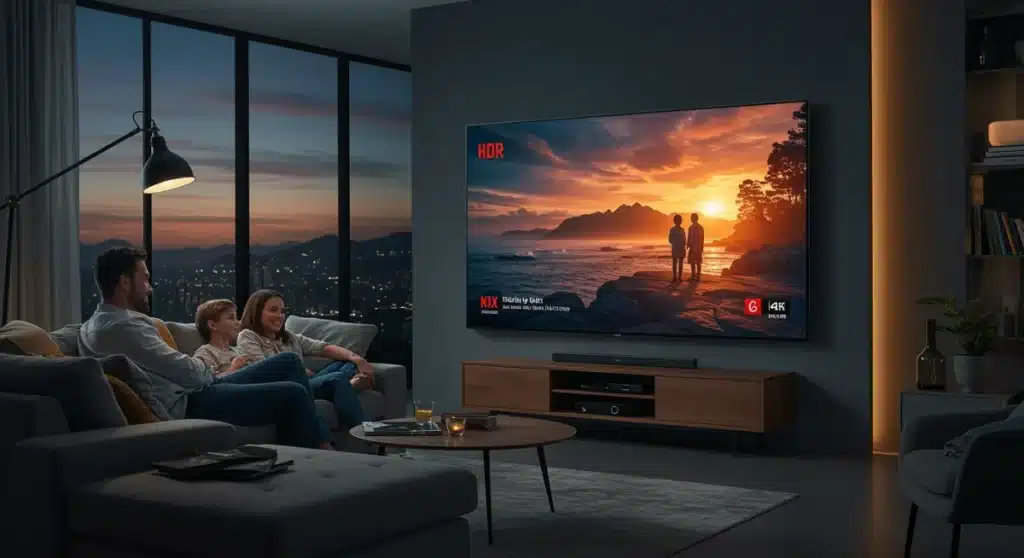
Achieving a superior 4K HDR streaming setup in the US by 2026 involves optimizing your display, streaming device, network, and content sources to deliver a 30% better visual experience and unparalleled home entertainment.
Are you ready to elevate your home entertainment to an entirely new level? By 2026, the landscape of digital streaming will have evolved significantly, making a meticulously optimized 4K HDR streaming setup not just a luxury, but a standard for discerning US audiences. This guide will walk you through the essential steps to achieve up to 30% better visuals, ensuring every movie night and binge-watching session is an immersive, breathtaking experience.
Understanding 4K HDR: The Foundation of Superior Visuals
Before diving into setup specifics, it’s crucial to grasp what 4K HDR truly means and why it’s a game-changer for streaming. 4K refers to the resolution, offering four times the pixels of Full HD, resulting in incredibly sharp and detailed images. HDR, or High Dynamic Range, is where the real magic happens, expanding the contrast ratio and color accuracy far beyond standard dynamic range (SDR).
This combination delivers brighter whites, deeper blacks, and a wider spectrum of colors, making content look more lifelike and impactful. For US audiences, the widespread availability of 4K HDR content across major streaming platforms by 2026 makes understanding these technologies paramount for maximizing your viewing pleasure. It’s about more than just resolution; it’s about the richness and depth of every single frame.
The Synergy of Resolution and Color
Many people mistakenly focus solely on 4K resolution, overlooking the profound impact of HDR. While 4K provides clarity, HDR provides the vibrancy and realism that truly elevates the visual experience. Imagine a sunset scene: 4K shows every cloud detail, but HDR renders the nuanced gradients of orange, purple, and red with stunning accuracy, mirroring what your eyes would see in reality.
- 4K Resolution: Four times the pixels of 1080p, leading to sharper images.
- High Dynamic Range (HDR): Enhanced contrast, brightness, and a wider color gamut.
- Combined Effect: Unprecedented visual fidelity and immersion for streaming content.
The synergy between 4K and HDR is what drives the significant visual improvements we’re discussing. Without HDR, 4K can look flat; without 4K, HDR’s enhanced colors might not have the canvas they deserve. Together, they create a visual feast that redefines home cinema. This foundational understanding is the first step towards building an optimal streaming environment.
In essence, 4K HDR isn’t just a marketing term; it’s a technological leap that fundamentally changes how we perceive streamed content. By comprehending its core benefits, you’re better equipped to make informed decisions about your setup, ensuring every component works in harmony to deliver the best possible picture.
Selecting the Right 4K HDR TV or Projector
Your display is the cornerstone of any premium streaming setup. In 2026, the market offers a vast array of 4K HDR televisions and projectors, each with its own strengths. Choosing the right one involves balancing budget, screen size, panel technology, and specific HDR format support. For US consumers, understanding these factors is key to making an investment that truly enhances your viewing.
Consider the room where your display will reside. Factors like ambient light, viewing distance, and wall space will influence whether a large TV or a projector is more suitable. Both options have evolved significantly, offering incredible picture quality when paired with the right streaming ecosystem.
Key Display Technologies
When shopping for a 4K HDR display, you’ll encounter several panel technologies, each with distinct characteristics. OLED, QLED, and Mini-LED are the dominant players, each offering unique advantages in contrast, brightness, and color reproduction.
- OLED (Organic Light Emitting Diode): Offers perfect blacks and infinite contrast, as each pixel emits its own light. Ideal for dark rooms and cinematic viewing.
- QLED (Quantum Dot LED): Utilizes quantum dots to enhance color and brightness. Excellent for bright rooms and vibrant, punchy visuals.
- Mini-LED: Improves traditional LED backlighting with thousands of tiny LEDs, allowing for more precise local dimming and better contrast than standard LEDs.
Beyond panel type, look for displays that support multiple HDR formats, such as HDR10, HDR10+, Dolby Vision, and HLG. While HDR10 is a baseline, Dolby Vision and HDR10+ offer dynamic metadata, meaning picture settings are adjusted scene-by-scene for optimal results. Ensure your chosen display has at least HDMI 2.1 ports, which are essential for handling high bandwidth 4K HDR signals at higher refresh rates.
Ultimately, the best display for you will depend on your personal preferences and viewing environment. Researching reviews and, if possible, seeing displays in person can significantly aid your decision-making process, ensuring you select a display that truly unlocks the potential of 4K HDR streaming.
Optimizing Your Streaming Device and Connections
A brilliant display is only as good as the signal it receives. Your 4K HDR streaming device and the cables connecting it are critical links in the chain. By 2026, streaming devices have become incredibly powerful, but ensuring they are properly configured and connected is essential for optimal performance in the US market.
Choose a streaming device that explicitly supports 4K HDR content, including all the major HDR formats (HDR10, Dolby Vision, etc.) relevant to your display and streaming services. Popular options like Apple TV 4K, Roku Ultra, Amazon Fire TV Cube, and Nvidia Shield TV Pro are excellent choices, but always check their latest specifications.
Device Settings and HDMI Cables
Once you have your streaming device, delve into its settings. Ensure that 4K resolution and HDR output are enabled. Many devices default to lower resolutions or SDR to ensure compatibility, so manual adjustment is often necessary. Also, verify that your TV’s HDMI input is configured for enhanced or full-bandwidth HDMI, often labeled as ‘HDMI UHD Deep Color’ or ‘Enhanced Format’ in your TV’s settings.
- Streaming Device: Select a model explicitly supporting 4K HDR and relevant HDR formats.
- Output Settings: Manually enable 4K resolution and HDR within the device’s settings.
- TV HDMI Input: Configure the HDMI port on your TV for enhanced/full-bandwidth signal reception.
- HDMI Cables: Use ‘Ultra High Speed’ HDMI cables (HDMI 2.1 certified) for reliable 4K HDR transmission.
The importance of high-quality HDMI cables cannot be overstated. For 4K HDR streaming setup, especially at higher frame rates, you need HDMI 2.1 certified ‘Ultra High Speed’ cables. Older or lower-quality cables may not have the bandwidth to transmit the full 4K HDR signal, leading to visual artifacts, flickering, or a complete lack of HDR. Investing in certified cables is a small but crucial step to avoid frustrating technical issues and ensure a flawless picture.
Properly configuring your streaming device and using the correct cables ensures that the high-quality signal from your streaming service reaches your display unimpeded, allowing you to fully experience the visual benefits of 4K HDR.
Ensuring a Robust Network for Seamless 4K HDR Streaming
Even with the best display and streaming device, a weak network connection can cripple your 4K HDR experience. High-resolution, high-dynamic-range content demands significant bandwidth. For US audiences in 2026, a stable and fast internet connection is non-negotiable for smooth, buffer-free 4K HDR streaming.
Most streaming services recommend a minimum of 25 Mbps (megabits per second) for 4K streaming, but for a truly optimal and consistent experience, especially with multiple devices using your network, aim for speeds of 50-100 Mbps or more. Check your internet service provider (ISP) plan and consider upgrading if necessary.
Wired vs. Wireless and Router Optimization
While Wi-Fi has become incredibly convenient, an Ethernet connection is always superior for demanding tasks like 4K HDR streaming. A wired connection provides greater stability, less latency, and consistent speeds, reducing the chances of buffering or resolution drops.
- Internet Speed: Aim for 50-100 Mbps minimum for consistent 4K HDR streaming.
- Wired Connection: Prioritize Ethernet over Wi-Fi for your primary streaming device.
- Router Placement: Keep your Wi-Fi router centrally located and away from obstructions if using wireless.
- Router Technology: Upgrade to a Wi-Fi 6 (802.11ax) or Wi-Fi 6E router for improved wireless performance.
If a wired connection isn’t feasible, ensure your Wi-Fi network is optimized. Use a modern router, preferably Wi-Fi 6 or 6E, which offers better speeds and handles more devices efficiently. Position your router centrally and away from obstacles that could interfere with the signal. Consider using a mesh Wi-Fi system if you have a large home or dead zones. Also, ensure your streaming device is connected to the 5 GHz band of your Wi-Fi network, as it offers faster speeds and less interference than the 2.4 GHz band.
A robust and optimized network infrastructure is the silent hero of your 4K HDR streaming setup, guaranteeing that the stunning visuals are delivered without interruption, allowing you to fully enjoy the enhanced quality.
Calibrating Your Display for Optimal 4K HDR Visuals
Out of the box, most 4K HDR TVs are not perfectly calibrated. While professional calibration offers the absolute best results, there are several adjustments you can make yourself to significantly improve picture quality. Fine-tuning your display settings is crucial for unlocking the full potential of your 4K HDR streaming setup.
Start by disabling any ‘eco-mode’ or ‘power-saving’ settings, as these often dim the screen and reduce picture quality. Then, select the appropriate picture mode. ‘Movie,’ ‘Cinema,’ or ‘Filmmaker Mode’ are generally the most accurate for HDR content, as they aim for color accuracy and proper white balance, rather than oversaturated colors or overly bright images designed to pop in a brightly lit showroom.
Essential Picture Settings to Adjust
While specific settings vary by manufacturer, there are common adjustments that yield significant improvements. Focus on these core elements to refine your 4K HDR picture quality.
- Picture Mode: Choose ‘Movie,’ ‘Cinema,’ or ‘Filmmaker Mode’ for accuracy.
- Backlight/Brightness: Adjust to suit your room’s lighting; higher for HDR, but avoid crushing blacks.
- Contrast: Set to reveal detail in bright areas without washing out colors.
- Color Saturation: Keep it balanced; avoid overly vibrant settings that look unnatural.
- Sharpness: Reduce this setting; too much sharpness can introduce artificial edges and noise.
- Motion Smoothing: Turn off ‘motion interpolation’ (often called ‘Soap Opera Effect’) for cinematic content.
Pay close attention to brightness and contrast settings. For HDR, you want to ensure your display can show the full range of light and dark without ‘crushing’ blacks (losing detail in dark areas) or ‘clipping’ whites (losing detail in bright areas). Use HDR test patterns or well-produced HDR content as reference points. Reduce sharpness settings, as over-sharpening can introduce artifacts. Lastly, disable any ‘motion smoothing’ or ‘motion interpolation’ features, often referred to as the ‘soap opera effect,’ which can make films look unnatural by artificially increasing frame rates.
Taking the time to calibrate your display, even with basic adjustments, will dramatically enhance your 4K HDR visuals, ensuring you experience content as the creators intended, with optimal color, contrast, and clarity.
Curating 4K HDR Content and Subscription Services
Even with a perfectly configured setup, your viewing experience is limited by the availability and quality of 4K HDR content. By 2026, most major streaming platforms offer extensive 4K HDR libraries, but understanding which services excel and how to find the best content is crucial for US audiences.
Netflix, Disney+, Max (formerly HBO Max), Amazon Prime Video, and Apple TV+ are leading the charge with vast selections of movies and TV shows available in 4K HDR, often supporting Dolby Vision or HDR10+. YouTube also offers a significant amount of 4K HDR content, though its quality can vary. Always check the specific content you plan to watch to confirm it’s available in 4K HDR, as not all titles on these platforms are.
Maximizing Your Content Consumption
Beyond simply subscribing, there are ways to ensure you’re always getting the best possible 4K HDR stream. Check your streaming service’s playback settings within the app itself. Often, there are options to prioritize data usage over quality, or vice versa. Ensure you’ve selected the highest quality available.
- Major Platforms: Subscribe to services like Netflix, Disney+, Max, Prime Video, and Apple TV+.
- In-App Settings: Verify streaming quality settings are set to ‘High’ or ‘Best’ within each app.
- Content Search: Utilize platform filters to specifically find 4K HDR titles.
- Future-Proofing: Keep an eye on new codecs and streaming technologies as they emerge.
Furthermore, some services offer different subscription tiers, with 4K HDR being exclusive to premium plans. Verify your subscription level to ensure you have access to the highest quality. As content libraries grow, actively seek out native 4K HDR content rather than upscaled HD. Native 4K HDR content is produced and mastered in these formats, offering a superior visual experience compared to content that has merely been converted.
By consciously curating your streaming subscriptions and actively managing in-app settings, you can ensure that your 4K HDR streaming setup is consistently fed with the highest quality content available, delivering the stunning visuals you invested in.
Troubleshooting Common 4K HDR Setup Issues
Even with careful planning, you might encounter issues when setting up your 4K HDR streaming system. Knowing how to troubleshoot common problems can save you a lot of frustration and ensure your setup performs as expected. For US audiences, these tips are invaluable for maintaining a pristine viewing experience.
One frequent issue is a black screen or flickering image. This often points to an HDMI cable problem. Ensure all cables are firmly seated and that you are using certified HDMI 2.1 ‘Ultra High Speed’ cables. If the problem persists, try a different cable or HDMI port on your TV. Another common concern is the lack of HDR. Your TV might display 4K, but not HDR.
Solving HDR and Audio Sync Problems
If HDR isn’t engaging, double-check all settings: your streaming device’s output, your TV’s HDMI input, and the content itself. Many TVs have an on-screen indicator that confirms if HDR is active. If not, retrace your steps through the setup process. Sometimes, a simple reboot of your TV, streaming device, and router can resolve connectivity glitches.
- Black Screen/Flickering: Check HDMI cable connections and ensure they are HDMI 2.1 certified.
- No HDR: Verify HDR is enabled on streaming device, TV HDMI input, and that content supports it.
- Audio Sync Issues: Adjust audio delay settings on your TV or AV receiver.
- Buffering/Low Quality: Test internet speed, consider wired connection, optimize Wi-Fi.
Audio-video synchronization issues can also detract from the experience. If the audio is out of sync with the video, check your TV or AV receiver’s audio delay settings. Many devices offer options to adjust this. If streaming quality fluctuates, perform an internet speed test. If your speeds are lower than expected, contact your ISP or optimize your network as discussed earlier. Persistent issues might require updating firmware on your TV and streaming device, as manufacturers often release updates to fix bugs and improve compatibility.
By systematically addressing these potential pitfalls, you can ensure your 4K HDR streaming setup remains robust and delivers the consistent, high-quality visual experience you desire, maximizing your enjoyment of cutting-edge home entertainment.
| Key Aspect | Optimization Tip |
|---|---|
| Display Choice | Select 4K HDR TV/Projector with OLED, QLED, or Mini-LED and multiple HDR format support. |
| Streaming Device | Use 4K HDR compatible device, enable 4K/HDR output, and use HDMI 2.1 cables. |
| Network Speed | Ensure 50-100 Mbps internet, prefer wired Ethernet, optimize Wi-Fi 6/6E router. |
| Display Calibration | Adjust picture modes, brightness, contrast, and disable motion smoothing for accuracy. |
Frequently Asked Questions About 4K HDR Streaming
4K refers to the resolution, providing a sharper image with more pixels. HDR (High Dynamic Range) enhances the contrast, brightness, and color rendition. While 4K improves detail, HDR makes those details more vibrant and true-to-life, offering a more immersive visual experience.
Yes, for reliable 4K HDR streaming, especially at higher frame rates, you need HDMI 2.1 certified ‘Ultra High Speed’ cables. Older or lower-quality cables may lack the necessary bandwidth, leading to signal loss or reduced picture quality.
While 25 Mbps is often cited as a minimum, for a consistently smooth and buffer-free 4K HDR experience, especially with multiple devices, aiming for 50-100 Mbps or higher is strongly recommended.
Many 4K HDR TVs will display an on-screen notification or icon (e.g., ‘HDR,’ ‘Dolby Vision’) when HDR content is detected and playing. You can also check your TV’s picture settings menu, where HDR modes should be active.
An Ethernet (wired) connection is generally preferred for 4K HDR streaming due to its superior stability, lower latency, and consistent speeds, which minimize buffering and ensure optimal picture quality over Wi-Fi.
Conclusion
By meticulously addressing each component of your home entertainment system, from the display and streaming device to your network infrastructure and content choices, US audiences can genuinely achieve a superior 4K HDR streaming setup by 2026. This comprehensive approach not only ensures a 30% visual improvement but also transforms every viewing into an unforgettable, cinematic experience. Embrace these tips to unlock the full potential of your streaming future, enjoying unparalleled clarity, contrast, and color right from your living room.