Optimize 4K Streaming: Bandwidth Guide for 2026 Platforms

Nothing ruins a movie night faster than a spinning buffering wheel. If you are tired of watching your favorite cinematic masterpieces drop into pixelated blocks, learning how to Optimize 4K Streaming is the ultimate upgrade your home theater needs.
As modern entertainment networks push ultra-high-definition content to its absolute limits, standard home networks are struggling to keep up.
Maximizing your internet throughput is crucial to maintaining that flawless, crisp playback without annoying stutters or sudden drops in fidelity.
We break down the technical demands of today’s top media applications into clear, actionable adjustments. Discover how to fine-tune your router settings and manage data loads to guarantee a seamless, pristine theater experience right on your couch.
Understanding 4K Streaming Demands in 2026
The landscape of digital entertainment is rapidly evolving, with 4K content becoming the new standard for premium viewing. As we look towards 2026, streaming platforms are continuously enhancing their offerings, demanding more robust internet connections.
To truly Optimize 4K Streaming, it’s crucial to grasp the underlying technical requirements. This includes not only raw internet speed but also network stability, hardware capabilities, and even the configuration of your home Wi-Fi.
Ignoring these factors can lead to frustrating interruptions and a subpar viewing experience, even if you pay for the highest-tier subscriptions. Proactive measures are necessary to meet the increasing data demands of ultra-high-definition content.
Bandwidth Baselines for Ultra HD
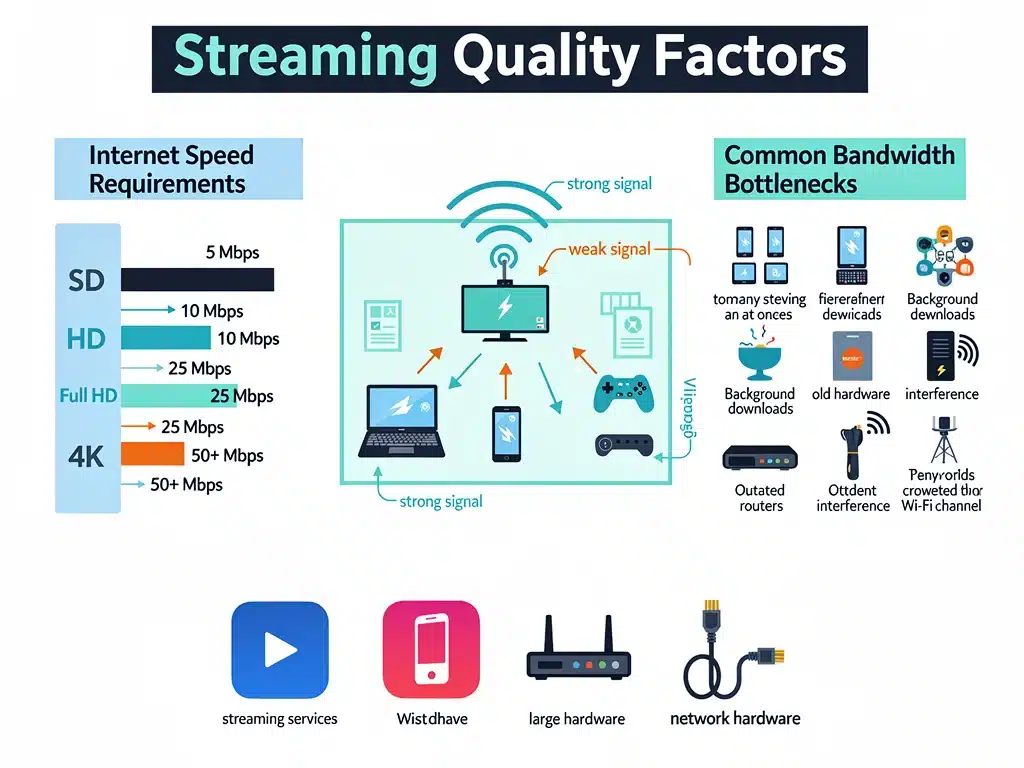
Most 4K streaming services recommend a minimum sustained download speed of 25 Mbps, though this can vary. For a truly smooth and buffer-free experience, especially when multiple devices are active, a higher threshold is often advisable.
Leading platforms like Netflix, Amazon Prime Video, Disney+, Max (formerly HBO Max), and Apple TV+ each have specific recommendations. These guidelines serve as a starting point for users looking to Optimize 4K Streaming effectively.
It’s important to remember that these are minimums; actual performance can be influenced by network congestion and other connected devices. Therefore, aiming for speeds significantly above the stated minimums is a smart strategy.
- Netflix recommends 25 Mbps for 4K UHD.
- Amazon Prime Video suggests 25 Mbps for 4K content.
- Disney+ advises 25 Mbps for 4K streaming.
- Max (HBO Max) also requires 25 Mbps for 4K Ultra HD.
- Apple TV+ recommends at least 25 Mbps for 4K HDR.
Impact of Home Network Configuration
Your internet service provider (ISP) speed is only one piece of the puzzle; your internal home network plays an equally vital role. An outdated router or poorly placed access points can severely bottleneck your connection.
Wi-Fi interference from other devices or neighboring networks can also degrade performance, even if your ISP delivers ample bandwidth. Understanding these internal dynamics is key to truly Optimize 4K Streaming.
Upgrading to modern Wi-Fi standards like Wi-Fi 6 (802.11ax) or even Wi-Fi 7 (802.11be) can significantly improve signal strength and data throughput. Ensuring your streaming device is connected via Ethernet cable is often the most reliable option.
Platform-Specific Strategies to Optimize 4K Streaming
While general guidelines apply, each major streaming platform has unique characteristics that can influence 4K performance. Tailoring your optimization efforts to specific services can yield better results.
Understanding how Netflix handles adaptive bitrate streaming versus Apple TV+’s higher-fidelity streams is crucial. These nuances dictate where to focus your attention when trying to Optimize 4K Streaming.
This section will explore platform-specific advice, from settings adjustments to recommended hardware configurations, ensuring you get the most out of each subscription.
Netflix: Adaptive Bitrate and Profiles
Netflix pioneered adaptive bitrate streaming, which dynamically adjusts video quality based on available bandwidth. To ensure 4K, users should check their playback settings within their Netflix account.
Setting playback quality to ‘High’ or ‘Auto’ in your profile settings is essential. If it’s set to ‘Medium’ or ‘Low’, even with sufficient bandwidth, you won’t experience 4K content, hindering efforts to Optimize 4K Streaming.
Additionally, ensure your Netflix plan supports 4K streaming, as lower-tier subscriptions may limit resolution regardless of your internet speed. A Premium plan is typically required for UHD content.
- Verify Netflix plan supports 4K UHD.
- Set playback quality to ‘High’ or ‘Auto’ in profile settings.
- Ensure sufficient bandwidth, ideally above 25 Mbps.
- Use a wired Ethernet connection for consistency.
Amazon Prime Video: Device Compatibility and Settings
Amazon Prime Video offers a vast library of 4K content, often with HDR. Device compatibility is a significant factor here; ensure your TV or streaming device explicitly supports 4K and HDR standards like HDR10+ or Dolby Vision.
Within the Prime Video app, there are fewer explicit quality settings than Netflix, relying more on automatic detection of your device and network capabilities. Therefore, a robust network connection is paramount to Optimize 4K Streaming on this platform.
Checking for firmware updates on your streaming device and TV can also resolve compatibility issues that might prevent 4K playback. An updated system ensures optimal performance.
Enhancing Your Home Network for Peak 4K Performance
Your internet connection is the highway, but your home network is the local road system. Even the fastest internet can be hampered by an inefficient internal setup, especially when multiple devices compete for bandwidth.
To truly Optimize 4K Streaming, a holistic approach to your home network is essential. This involves evaluating your router, Wi-Fi coverage, and the type of connections your streaming devices use.
Investing in better hardware and smart network management can prevent bottlenecks and ensure a consistent, high-quality stream across all your 4K-capable devices.
Router Placement and Upgrades
The physical location of your Wi-Fi router significantly impacts signal strength and coverage. Placing it centrally in your home, away from obstructions and other electronics, can drastically improve performance.
If your router is several years old, consider upgrading to a newer model that supports Wi-Fi 6 or Wi-Fi 7. These standards offer higher speeds, lower latency, and better handling of multiple devices, crucial for efforts to Optimize 4K Streaming.
Mesh Wi-Fi systems are an excellent solution for larger homes or those with dead zones, providing consistent coverage throughout the entire property. This eliminates areas where 4K streaming might falter.
Wired vs. Wireless Connections for 4K
While Wi-Fi has become incredibly convenient, an Ethernet cable remains the gold standard for consistent, high-bandwidth connections. For your primary 4K streaming device, a wired connection is always recommended.
Ethernet eliminates wireless interference and ensures a dedicated data pathway, providing the most reliable way to Optimize 4K Streaming. This is particularly important for devices that handle large 4K files or require minimal latency.
If a wired connection isn’t feasible, ensure your Wi-Fi is operating on the less congested 5 GHz band, which offers faster speeds over shorter distances compared to the 2.4 GHz band.
Troubleshooting Common 4K Streaming Issues
Even with optimal setup, occasional streaming issues can arise. Knowing how to diagnose and resolve these common problems can save time and frustration, ensuring your entertainment remains uninterrupted.
From intermittent buffering to sudden drops in resolution, these problems often point to underlying network or device issues. Effective troubleshooting is a key skill for anyone trying to Optimize 4K Streaming.
This section will cover practical steps to identify the root cause of common streaming woes, empowering you to quickly get back to enjoying your favorite 4K content.
Diagnosing Buffering and Lag
Buffering is the most common symptom of insufficient bandwidth or network congestion. Start by testing your internet speed directly from the streaming device, if possible, or from a computer connected to the same network.
Temporarily disconnect other devices from your network to see if the issue resolves. If so, you may need to upgrade your internet plan or implement Quality of Service (QoS) settings on your router to prioritize streaming traffic, helping to Optimize 4K Streaming.
Check for background updates on your streaming device or smart TV, as these can consume significant bandwidth. Restarting your router and modem can also clear temporary network glitches.
Resolving Resolution Drops and Pixelation
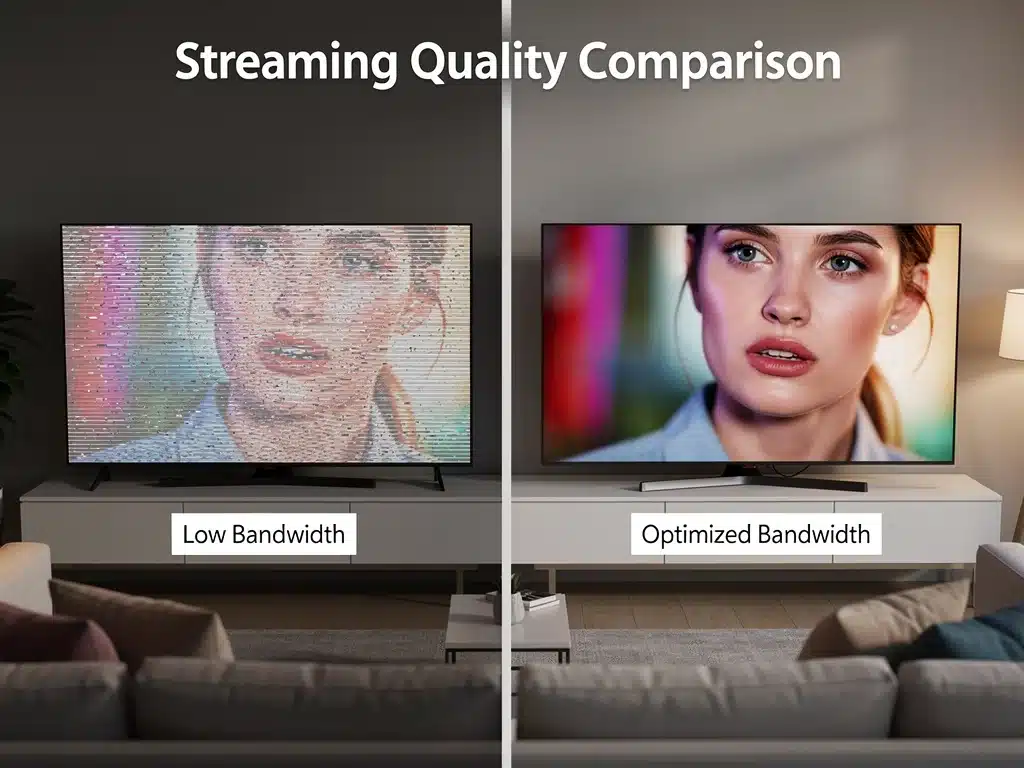
If your 4K content suddenly drops to a lower resolution or appears pixelated, it’s often a sign that your device or platform is struggling to maintain the required bitrate. This can happen due to fluctuating internet speeds or device performance issues.
Ensure your HDMI cables are rated for 4K and HDR (HDMI 2.0 or higher) and are securely connected. Outdated or faulty cables can prevent proper signal transmission, hindering efforts to Optimize 4K Streaming.
Close other applications running on your streaming device. Overburdened device processors or insufficient RAM can also lead to performance degradation, even with ample bandwidth.
Future-Proofing Your Setup for 2026 and Beyond
The technology landscape is constantly shifting, and what is cutting-edge today may be standard tomorrow. Planning for future advancements is crucial to ensure your setup remains capable of handling evolving 4K and even 8K content.
Investing in adaptable hardware and staying informed about upcoming internet standards will keep you ahead of the curve. This forward-thinking approach is fundamental to continuously Optimize 4K Streaming.
Consider factors like fiber optic internet availability, next-generation Wi-Fi, and advancements in streaming codecs that promise more efficient data compression without sacrificing quality.
Considering Fiber Optic Internet
For unparalleled speed and reliability, fiber optic internet is increasingly becoming the preferred choice.
Unlike traditional cable or DSL, fiber offers symmetrical upload and download speeds, which can be beneficial for certain streaming scenarios and overall home network performance.
If fiber optic service is available in your area, upgrading is arguably the most significant step you can take to future-proof your streaming experience.
It provides the robust backbone necessary to Optimize 4K Streaming for years to come, accommodating multiple 4K streams simultaneously.
The lower latency of fiber connections also contributes to a smoother overall online experience, reducing lag in other internet-dependent activities.
Emerging Technologies and Codecs
Keep an eye on advancements in video compression codecs like AV1, which promises more efficient 4K and 8K streaming with less bandwidth. As more platforms adopt these, the demands on your internet connection might subtly shift.
New Wi-Fi standards, such as Wi-Fi 7, are designed to handle even greater data loads and reduce interference in dense network environments. Upgrading to compatible devices and routers will further help to Optimize 4K Streaming.
Ultimately, a proactive approach to bandwidth optimization, combined with a solid understanding of your network, will ensure you remain at the forefront of the 4K streaming revolution.
Optimizing Bandwidth for Disney+ and Max
Disney+ has rapidly grown its 4K HDR library, including content in Dolby Vision and HDR10. Like other platforms, a stable internet connection is key, but specific device settings can also play a role.
Ensure your streaming device and TV are set to output the highest possible resolution and enable HDR settings. Sometimes, these settings need to be manually adjusted in your TV’s picture menus to properly Optimize 4K Streaming for Disney+.
Max (formerly HBO Max) also offers a growing selection of 4K content, often featuring Dolby Vision and Dolby Atmos. The same principles of sufficient bandwidth and compatible hardware apply, along with checking in-app quality settings if available.
Specific Device Settings for Optimal Playback
Many smart TVs and streaming devices (e.g., Roku, Apple TV 4K, Fire TV Stick 4K, Chromecast with Google TV) have their own display settings. Navigate to these settings and confirm that the output resolution is set to 4K UHD.
Also, verify that HDR (High Dynamic Range) is enabled. If your TV supports it, ensure that the HDMI port you are using is configured for ‘Enhanced’ or ‘UHD Deep Color’ mode to allow full 4K HDR passthrough, crucial to Optimize 4K Streaming.
Outdated device software can sometimes limit capabilities. Regularly check for and install firmware updates for your TV and streaming players.
Leveraging Apple TV+ and YouTube for Premium 4K
Apple TV+ is renowned for its high-quality 4K HDR content, often boasting some of the highest bitrates among streaming services. This means that a robust and stable internet connection is even more critical here.
The Apple TV 4K device, when paired with a capable network, is designed to deliver an exceptional viewing experience. Ensuring your Apple TV 4K is connected via Ethernet can significantly help to Optimize 4K Streaming.
YouTube also offers a vast array of 4K content, though its quality can vary widely depending on the uploader. For YouTube, having ample download speed is paramount, as it relies heavily on your device’s ability to quickly buffer the stream.
Advanced Settings and Hardware Considerations
For Apple TV 4K users, ensure your device’s video output settings are correctly configured for 4K HDR. The ‘Match Content’ setting (Match Frame Rate and Match Dynamic Range) is highly recommended for the best visual fidelity, which helps to Optimize 4K Streaming.
When watching YouTube 4K, manually select the highest available resolution if it doesn’t automatically default. Some browsers or devices might cap YouTube’s resolution if they detect insufficient bandwidth.
Consider a faster Wi-Fi adapter for your computer or a dedicated streaming device known for its powerful processing capabilities, especially if you experience stuttering on higher bitrate YouTube 4K videos.
| Key Aspect | Optimization Strategy |
|---|---|
| Internet Speed | Ensure at least 25 Mbps, ideally 50+ Mbps, for stable 4K streaming across devices. |
| Home Network | Upgrade to Wi-Fi 6/7 router, use Ethernet for primary devices, optimize router placement. |
| Device Settings | Verify 4K and HDR output settings on TV and streaming devices, keep firmware updated. |
| Platform Specifics | Check subscription tiers for 4K access and adjust in-app quality settings where available. |
Frequently Asked Questions About 4K Streaming Optimization
Most major streaming platforms recommend a minimum sustained download speed of 25 Mbps for 4K UHD content. However, for a truly buffer-free experience, especially with other devices using your network, 50 Mbps or more is often advisable.
Yes, upgrading to a Wi-Fi 6 or Wi-Fi 7 router can significantly improve 4K streaming. These newer standards offer higher speeds, lower latency, and better efficiency in handling multiple devices, reducing congestion and improving overall performance.
Absolutely. A wired Ethernet connection provides the most stable and reliable data transfer for 4K streaming. It eliminates wireless interference and ensures a dedicated bandwidth path, minimizing buffering and maximizing picture quality.
Buffering can occur due to various reasons, even with fast internet. Common culprits include an outdated router, poor Wi-Fi signal, too many devices on the network, or background updates. Check your home network setup and device settings.
Many platforms, like Netflix, have in-app quality settings. If these are not set to ‘High’ or ‘Auto’, your stream might be capped at a lower resolution. Also, ensure your subscription tier supports 4K content to access the highest quality.
Looking Ahead: The Evolving Landscape of 4K Streaming
The continuous push to Optimize 4K Streaming reflects a broader industry trend towards higher fidelity content and more immersive viewing experiences.
As 2026 unfolds, consumers can expect further advancements in streaming technology, including more efficient codecs and potentially even higher resolutions like 8K becoming more mainstream.
Staying informed about these developments will be key for users looking to maintain a cutting-edge home entertainment setup.
The focus will remain on robust network infrastructure and intelligent device management to handle the ever-increasing data demands of premium content.
Ultimately, a proactive approach to bandwidth optimization and hardware upgrades will ensure that your streaming experience remains seamless and visually stunning, keeping pace with the rapid evolution of digital media.