Enhance Your 2026 Streaming Audio: Dolby Atmos & DTS:X Setup Guide
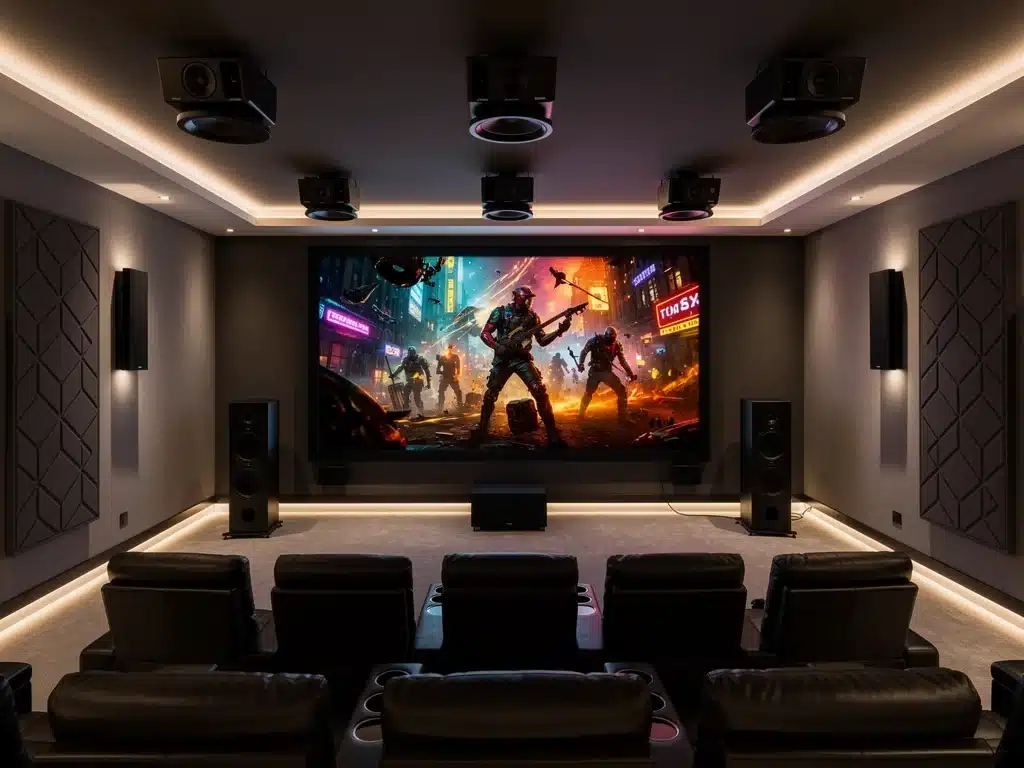
Is your living room still relying on flat, predictable sound? Upgrading to 2026 Streaming Audio means moving past basic stereo and plunging directly into a multidimensional, theater-quality environment.
With modern entertainment platforms now broadcasting spatial formats right to your TV, standard soundbars just won’t cut it. Unleashing the true potential of immersive object-based mixes requires a precise hardware and software configuration.
This straightforward guide cuts through the technical jargon to optimize your home entertainment center. Master your spatial sound equipment, calibrate your speaker layout, and unlock jaw-dropping acoustic depth today.
Understanding Dolby Atmos and DTS:X for Enhanced Audio
Dolby Atmos and DTS:X represent the pinnacle of immersive audio technology, moving beyond traditional channel-based sound to object-based audio.
This paradigm shift allows sound designers to place specific sounds anywhere in a three-dimensional space, including overhead, creating a truly enveloping experience.
For consumers, this translates into a more realistic and engaging soundstage, where helicopter blades whir directly above and rain appears to fall from the ceiling.
Implementing these technologies correctly is fundamental to achieving the intended effect and significantly improving your 2026 streaming audio.
The advancements in these formats mean that simply having compatible hardware is insufficient; proper setup and calibration are paramount. This section will delineate the core principles behind each technology and their synergistic potential within a modern home theater environment.
The Core Principles of Object-Based Audio
Object-based audio differs from conventional surround sound by treating individual sounds as ‘objects’ that can be precisely positioned and moved within a 3D sound field. This contrasts with channel-based audio, which assigns sounds to fixed speaker channels.
Dolby Atmos, for instance, supports up to 128 audio objects and a 10-channel bed layer, offering incredible flexibility for sound engineers.
DTS:X, while also object-based, is known for its flexibility in speaker placement, adapting to various home theater layouts without strict speaker configuration requirements.
Both technologies aim to provide a hyper-realistic audio experience, making every explosion, whispered dialogue, or musical note feel incredibly lifelike. Proper integration is key to fully enhance your 2026 streaming audio.
Key Differences and Compatibility
- Speaker Layout Flexibility: DTS:X generally offers more flexibility in speaker placement, often adapting to existing setups. Dolby Atmos has more specific recommendations, particularly for height speakers.
- Metadata Handling: Both use metadata to convey object positioning, but their proprietary implementations differ. Modern AV receivers are typically compatible with both formats.
- Content Availability: Content availability for both formats is rapidly expanding across streaming platforms, Blu-ray, and video games, making them essential for a future-proof home theater.
Understanding these differences helps in selecting the right equipment and planning your installation. The goal is always to achieve the most immersive audio possible to enhance your 2026 streaming audio.
Essential Hardware for Your 2026 Streaming Audio Setup
To fully implement Dolby Atmos and DTS:X, specific hardware components are indispensable. A compatible AV receiver forms the heart of your system, processing the intricate audio signals and distributing them to the appropriate speakers.
This receiver must support the latest HDMI standards to handle high-bandwidth audio and video streams.
Beyond the receiver, the choice and placement of speakers are critical. While traditional surround sound systems rely on a 5.1 or 7.1 configuration, object-based audio introduces the need for height channels, often delivered by ceiling-mounted speakers, up-firing speakers, or soundbars with integrated up-firing drivers.
Investing in quality components ensures that the nuanced details of immersive sound are accurately reproduced, significantly elevating your 2026 streaming audio experience. This foundation is crucial for any aspiring home theater.
Selecting a Compatible AV Receiver
The AV receiver is the central processing unit for your home theater audio. For Dolby Atmos and DTS:X, it must explicitly state compatibility with these formats and ideally support at least a 7.1.2 or 7.1.4 speaker configuration (7 traditional speakers, 1 subwoofer, and 2 or 4 height speakers).
Look for receivers with multiple HDMI inputs supporting HDMI 2.1 for future-proofing, ensuring compatibility with 4K/8K video and advanced audio return channel (eARC). Brands like Denon, Marantz, Onkyo, and Yamaha offer a wide range of suitable models.
It is also beneficial to consider receivers with built-in room correction software, such as Audyssey or AccuEQ, which can automatically calibrate your speaker system for optimal performance within your specific room acoustics.
Speaker Configurations and Placement
Speaker placement is paramount for immersive audio. For Dolby Atmos, dedicated overhead speakers or up-firing speakers that bounce sound off the ceiling are essential.
A common setup is 5.1.2 (five conventional, one subwoofer, two height) or 7.1.4 (seven conventional, one subwoofer, four height).
DTS:X offers more flexibility, often allowing you to use your existing speaker layout, though adding height channels will significantly improve the experience. The aim is to create a seamless sphere of sound around the listener.
Careful consideration of speaker type (in-ceiling, on-wall, bookshelf, floor-standing) and their precise positioning relative to the main listening position is crucial. Consult manufacturer guidelines for optimal angles and distances to truly enhance your 2026 streaming audio.
Setting Up Your Home Theater for Optimal Performance
Once you have the necessary hardware, the physical setup and connection process begins. This involves strategically placing your speakers, connecting them to the AV receiver, and ensuring all video sources are correctly routed.
Proper cabling is often overlooked but plays a vital role in audio signal integrity.
Attention to detail during this stage will prevent common issues and lay the groundwork for an exceptional listening experience. This section guides you through the practical steps to configure your system for maximum impact, ensuring your 2026 streaming audio is top-tier.
The goal is to create an acoustically balanced environment where each speaker contributes effectively to the overall sound field. This meticulous approach guarantees that every sound object is rendered with precision, as intended by the content creators.
Speaker Installation and Wiring
Begin by positioning your speakers according to your chosen Dolby Atmos or DTS:X layout. Ensure that front, center, and surround speakers are at ear level when seated, and height speakers are either in the ceiling or positioned to bounce sound effectively.
Use high-quality speaker wire, ensuring correct polarity (+ to + and – to -) for all connections. For longer runs, consider thicker gauge wire to minimize signal loss. Secure all connections firmly at both the speaker and receiver ends.
Labeling your wires can save significant hassle during troubleshooting or future upgrades. This step is foundational to a robust 2026 streaming audio setup.
Connecting Your AV Receiver and Sources
- HDMI Connections: Connect all video sources (streaming devices, Blu-ray player, gaming consoles) to the HDMI inputs on your AV receiver.
- eARC/ARC: Connect your TV’s HDMI eARC/ARC port to the corresponding output on your AV receiver to allow audio from smart TV apps to be sent to your sound system.
- Network Connection: Connect your AV receiver to your home network via Ethernet or Wi-Fi for firmware updates, streaming services, and control via a mobile app.
Proper connection ensures that all audio and video signals are processed and delivered optimally. This is a critical step to enhance your 2026 streaming audio capabilities.
Calibrating Your System for Immersive Sound
After physical installation, calibration is the most crucial step to unlock the full potential of Dolby Atmos and DTS:X. Modern AV receivers come with automated room correction systems that use a microphone to analyze your room’s acoustics and adjust speaker levels, distances, and equalization.
While automated calibration provides an excellent starting point, manual fine-tuning can further optimize the sound for your personal preferences and specific listening environment. This meticulous process ensures that every sound object is reproduced with pinpoint accuracy.
Proper calibration eliminates acoustic anomalies and balances the sound field, making sure your 2026 streaming audio is as immersive as possible. This is where the magic truly happens.
Automated Room Correction Explained
Automated room correction systems, such as Audyssey MultEQ XT32, Dirac Live, or Anthem ARC, use a supplied microphone to take measurements from multiple listening positions.
The system then calculates and applies corrections to compensate for room acoustics, speaker placement, and distance.
Follow the on-screen instructions carefully, typically involving placing the microphone at the primary listening position and several secondary positions. This process creates a detailed acoustic profile of your room.
The goal is to flatten the frequency response and ensure seamless integration between all speakers and the subwoofer, providing a cohesive and accurate soundstage. This step is indispensable for optimizing your 2026 streaming audio.
Manual Adjustments and Fine-Tuning
Even after automated calibration, manual adjustments can refine your system. Check individual speaker levels using a sound level meter (available as smartphone apps) to ensure they are balanced. Adjust subwoofer crossover frequencies to blend seamlessly with your main speakers.
Experiment with speaker distance settings if the automated system seems off, especially for height channels. Listen to various content types—movies, music, games—to identify any areas for improvement in the sound field.
Minor tweaks can significantly enhance clarity, bass response, and the overall immersive quality of your 2026 streaming audio. 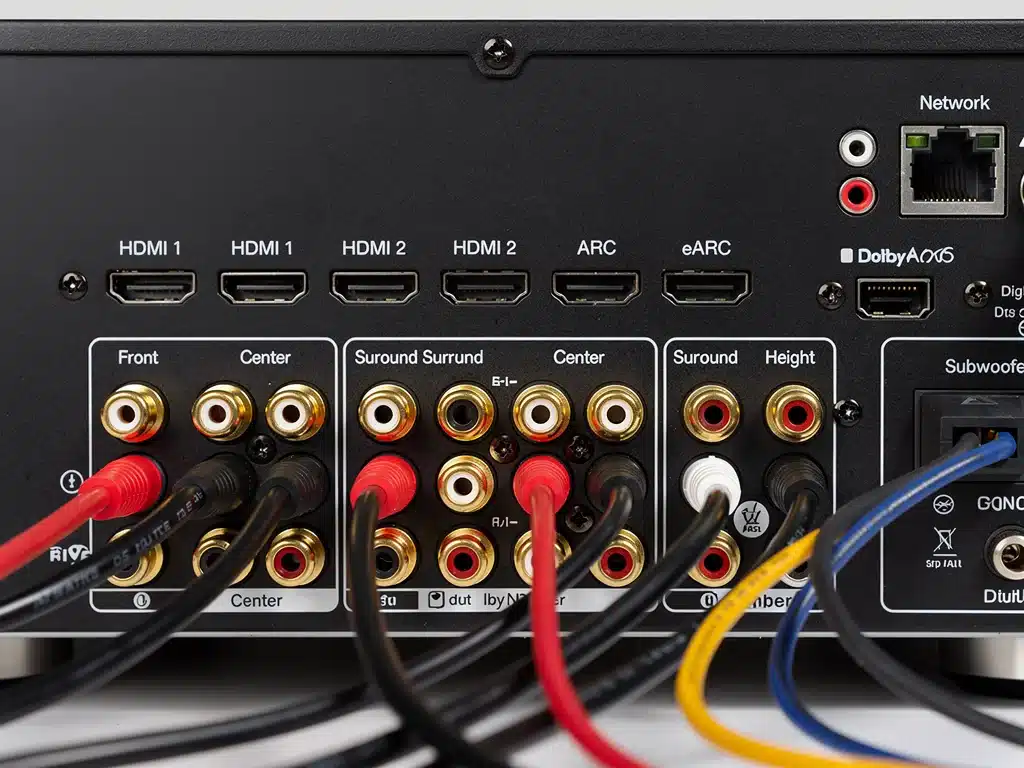
Optimizing Your Streaming Sources and Content
Having a perfectly calibrated home theater system is only half the battle; ensuring your streaming sources deliver Dolby Atmos or DTS:X content is equally vital.
Not all streaming platforms offer immersive audio, and even those that do may require specific subscriptions or playback settings.
Understanding how to identify and enable immersive audio tracks on your preferred streaming services will maximize your investment in your home theater. This optimization ensures that your 2026 streaming audio experience consistently leverages these advanced formats.
Without the correct content and settings, your system will revert to standard surround sound, missing out on the spatial depth and clarity that object-based audio provides. This step bridges the gap between hardware capability and actual immersive playback.
Identifying Dolby Atmos and DTS:X Content
Many major streaming platforms, including Netflix, Disney+, Max (formerly HBO Max), and Apple TV+, offer a growing library of Dolby Atmos content. DTS:X content is less prevalent on streaming services but can be found on some 4K Ultra HD Blu-ray discs.
Look for specific badges or logos (e.g., “Dolby Atmos” or “DTS:X”) on the content’s description page within the streaming app. Ensure your streaming device (e.g., Apple TV 4K, NVIDIA Shield TV, Roku Ultra, Xbox Series X/S, PS5) is also compatible and configured to output these audio formats.
Verifying content compatibility is crucial to fully enhance your 2026 streaming audio experience and utilize your advanced setup.
Configuring Streaming Devices and TV Settings
- Streaming Device: Access your streaming device’s audio settings and ensure that Dolby Atmos or bitstream output is selected. Avoid PCM stereo or surround if you want immersive audio.
- TV Settings: If your streaming device is connected directly to your TV, ensure your TV’s audio output is set to “Passthrough” or “Bitstream” via its eARC/ARC port to allow the AV receiver to decode the immersive audio.
- App Settings: Within individual streaming apps, verify that the highest quality audio track (often labeled Dolby Atmos or 5.1/7.1 with Atmos) is selected for playback.
Incorrect settings can prevent the immersive audio signal from reaching your AV receiver, limiting your 2026 streaming audio quality.
Troubleshooting Common Audio Issues
Even with careful setup, issues can arise. Common problems include no sound from certain speakers, distorted audio, or the receiver not detecting Dolby Atmos or DTS:X signals. Addressing these issues systematically can quickly restore your immersive audio experience.
Knowing how to diagnose and resolve these glitches is a valuable skill for any home theater owner. This section provides practical troubleshooting tips to ensure your 2026 streaming audio remains consistently high-quality.
Many problems stem from incorrect settings or loose connections, which are often straightforward to fix with a methodical approach. Patience and attention to detail are key.
Diagnosing No Sound or Distorted Audio
First, check all physical connections between your speakers and the AV receiver, ensuring they are secure and correctly wired. Verify that the correct input source is selected on your receiver.
If only certain speakers are affected, check their individual connections and settings within the receiver’s menu. For distorted audio, try reducing the volume or checking for loose speaker wire strands that might be shorting out connections.
Ensure your receiver’s firmware is up to date, as updates often resolve compatibility issues and improve performance, which directly impacts your 2026 streaming audio.
Resolving Dolby Atmos/DTS:X Detection Problems
- Source Compatibility: Confirm that the content you are playing explicitly supports Dolby Atmos or DTS:X. Not all content is encoded with these formats.
- Device Settings: Double-check the audio output settings on your streaming device and TV (eARC/ARC passthrough) to ensure they are configured to send the immersive audio bitstream.
- Receiver Display: Your AV receiver’s display should indicate when it is receiving and decoding a Dolby Atmos or DTS:X signal. If it shows “Dolby Digital” or “DTS,” the immersive signal is not reaching it.
These checks are crucial for ensuring your system is correctly interpreting and playing back immersive audio, enhancing your 2026 streaming audio experience. 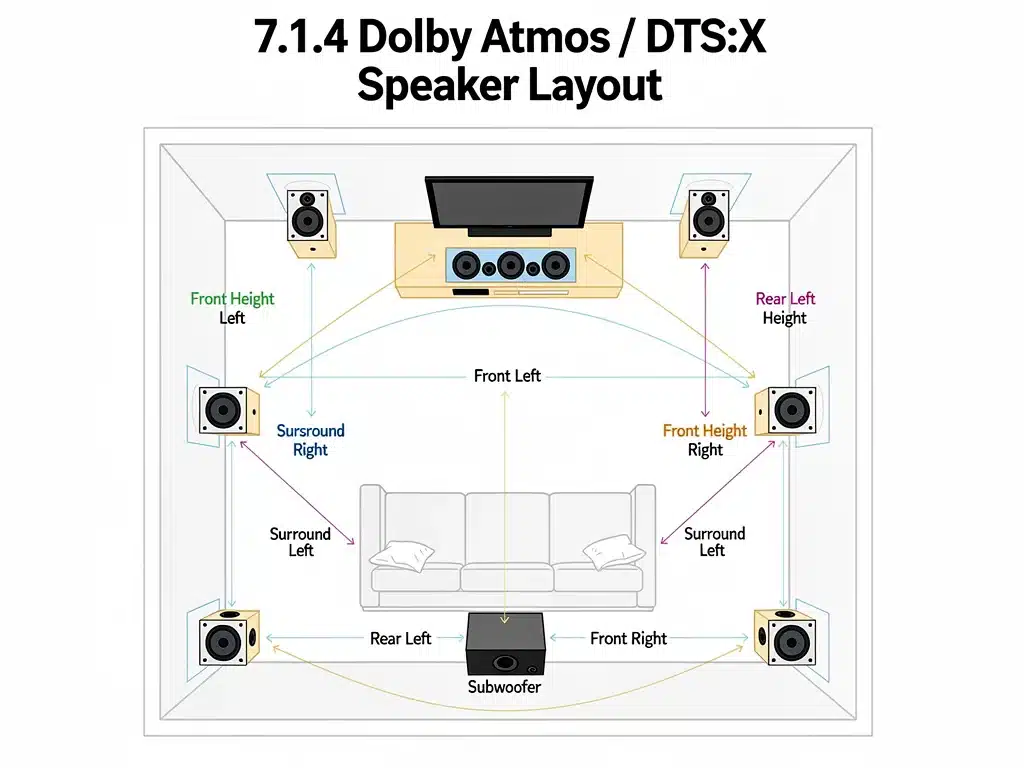
Future-Proofing Your Immersive Audio Setup
Technology evolves rapidly, and future-proofing your home theater means making choices that anticipate upcoming standards and advancements.
While no system can be entirely future-proof, focusing on certain key areas can extend the longevity and relevance of your setup for years to come.
Consider modular components that allow for upgrades, and prioritize devices with robust connectivity options. This forward-thinking approach ensures your investment in 2026 streaming audio continues to deliver cutting-edge performance.
Staying informed about emerging audio technologies and industry trends is also vital for maintaining a state-of-the-art home entertainment system. Proactive planning minimizes the need for complete overhauls.
Considering HDMI 2.1 and Beyond
HDMI 2.1 is critical for future-proofing, supporting higher resolutions (8K/60Hz, 4K/120Hz) and advanced audio features like eARC. Ensure your AV receiver, TV, and any connected devices are HDMI 2.1 compliant to handle the demands of future content.
As new HDMI standards emerge, staying updated on their capabilities will be essential. These advancements directly impact the quality and compatibility of your 2026 streaming audio and video.
Investing in devices with multiple HDMI 2.1 ports provides flexibility for connecting various high-bandwidth sources, safeguarding your setup against rapid technological shifts.
Software Updates and Emerging Technologies
- Firmware Updates: Regularly check for and install firmware updates for your AV receiver and streaming devices. These updates often introduce new features, improve performance, and fix bugs, extending the life of your equipment.
- Wireless Audio: Keep an eye on advancements in wireless audio technologies that offer lossless transmission for surround sound, potentially simplifying speaker placement and reducing cable clutter.
- AI-Driven Audio: Emerging AI technologies might offer even more sophisticated room correction and adaptive audio experiences, tailoring sound dynamically to content and environment.
Embracing these advancements will ensure your system remains at the forefront of immersive audio, continuously enhancing your 2026 streaming audio experience.
The Impact of Room Acoustics on Immersive Sound
The physical characteristics of your listening room profoundly affect the quality of your Dolby Atmos and DTS:X experience.
Hard, reflective surfaces can cause echoes and reverberations, muddying the sound, while soft furnishings can absorb too much high-frequency sound, making the audio dull.
Understanding and managing room acoustics is as important as selecting high-quality equipment. Even the best audio system will struggle to deliver its full potential in an acoustically challenging environment.
This section explores practical steps to optimize your room, ensuring that every sound object is clear, distinct, and precisely placed, further enhancing your 2026 streaming audio.
Acoustic Treatments for Enhanced Clarity
Consider incorporating acoustic treatments such as sound-absorbing panels, bass traps, and diffusers. Absorbers reduce echo and reverberation, while diffusers scatter sound waves to create a more natural and spacious sound field.
Strategically placed rugs, heavy curtains, and upholstered furniture can also help mitigate reflections. The goal is to achieve a balanced room response, where sound is neither overly dead nor excessively lively.
These treatments, when combined with proper speaker calibration, contribute significantly to the perceived realism and immersion of your 2026 streaming audio.
Furniture Placement and Room Layout
- Symmetry: Aim for a symmetrical layout for your speakers and main listening position relative to the room’s walls to ensure a balanced soundstage.
- Reflective Surfaces: Minimize large, bare, reflective surfaces directly opposite speakers or the listening position. If unavoidable, use acoustic panels or heavy fabrics to break up reflections.
- Speaker Clearance: Ensure speakers, especially height and surround speakers, have adequate clearance and are not obstructed by furniture or other objects that could block or redirect sound waves.
Thoughtful room layout and furniture placement are cost-effective ways to improve your 2026 streaming audio performance without additional hardware.
Maintaining Your Home Theater System
Regular maintenance ensures the longevity and consistent performance of your Dolby Atmos and DTS:X home theater system.
This includes routine cleaning, firmware checks, and occasional recalibration. Neglecting these aspects can lead to diminished audio quality and potential hardware issues over time.
A well-maintained system will continue to deliver an exceptional immersive experience, making your investment worthwhile for years to come. Proactive care prevents minor annoyances from escalating into significant problems.
This ongoing attention helps to preserve the pristine quality of your 2026 streaming audio, ensuring it always performs at its peak.
Routine Cleaning and Dust Management
Dust can accumulate on speaker cones, amplifier vents, and inside AV receivers, potentially affecting performance and leading to overheating. Regularly dust your components with a soft, dry cloth or a gentle vacuum cleaner with a brush attachment.
Ensure adequate ventilation around your AV receiver and other heat-generating components to prevent thermal issues. Keep cables tidy and inspect them periodically for any signs of wear or damage.
Cleanliness contributes to both the aesthetic and functional integrity of your system, safeguarding your 2026 streaming audio performance.
Periodic Recalibration and Firmware Checks
- Recalibration: Recalibrate your system periodically, especially if you move speakers, change furniture, or introduce new acoustic treatments. This ensures optimal sound balance and compensates for any changes in your listening environment.
- Firmware: Set reminders to check for firmware updates for all your connected devices. Manufacturers frequently release updates that improve stability, add features, and enhance compatibility with new content formats, crucial for your 2026 streaming audio.
- Component Inspection: Inspect speaker drivers for any signs of damage or deterioration. Test all channels regularly using test tones available in your receiver’s menu or through specialized calibration discs.
These maintenance practices are essential for preserving the high-fidelity immersive sound of your home theater system.
| Key Aspect | Description |
|---|---|
| Object-Based Audio | Dolby Atmos and DTS:X place sounds in 3D space, including overhead, for immersive experiences. |
| Essential Hardware | Requires a compatible AV receiver (7.1.2/7.1.4) and specific height speakers for optimal setup. |
| Calibration Importance | Automated and manual calibration are crucial for balancing sound and optimizing room acoustics. |
| Content & Settings | Verify streaming content supports immersive audio and configure devices for bitstream output. |
Frequently Asked Questions About Immersive Audio
The main benefit lies in their object-based audio capabilities, allowing sounds to be precisely placed and moved in a three-dimensional space, including overhead. This creates a much more immersive and realistic listening experience compared to the fixed channels of traditional surround sound, significantly enhancing your 2026 streaming audio.
While you can often integrate existing front, center, and surround speakers, you will need to add height speakers (either in-ceiling, on-wall, or up-firing modules) to experience the full overhead effects. DTS:X is generally more flexible with existing layouts, but dedicated height channels are key to truly enhance your 2026 streaming audio.
Yes, a modern AV receiver specifically designed to support Dolby Atmos and DTS:X is essential. It must have the processing capabilities and amplifier channels for the additional height speakers. Look for models supporting at least a 7.1.2 or 7.1.4 configuration to effectively enhance your 2026 streaming audio.
Room calibration is critically important. It optimizes speaker levels, distances, and equalization to compensate for your room’s unique acoustics. This ensures that sound objects are accurately rendered and the overall sound field is balanced, maximizing the immersive potential of your 2026 streaming audio experience.
Major streaming platforms such as Netflix, Disney+, Max (formerly HBO Max), and Apple TV+ offer a growing selection of Dolby Atmos content. Always check the content description for the Dolby Atmos logo and ensure your streaming device and TV settings are configured for bitstream output to fully enhance your 2026 streaming audio.
Next Steps
The journey to optimize your home theater for 2026 streaming audio with Dolby Atmos and DTS:X is an ongoing process of refinement and adaptation.
As content libraries expand and technology advances, staying informed about new developments and regularly checking your system’s configuration will be paramount.
The immersive audio landscape is dynamic, with continuous improvements in encoding, playback, and hardware.
By following this guide, you are well-positioned to enjoy a superior auditory experience, keeping your home entertainment at the forefront of innovation and ensuring your 2026 streaming audio remains unparalleled.